
Player guide
Quick Start Guide
Commands and interactions for vouched players.
Join and groups Java Edition {26.3} · mc.danii.io
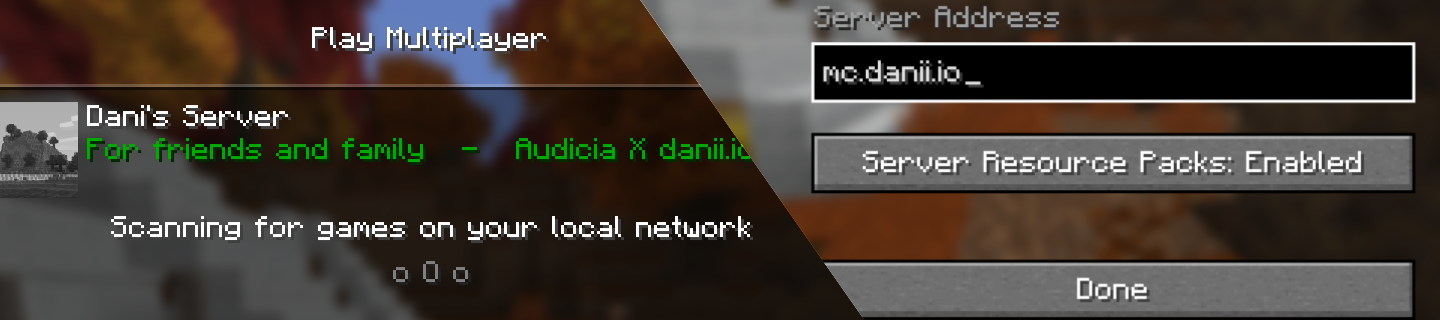
- Add server:
mc.danii.io - Accept the resource pack. Vane’s pack is required for custom items, tomes, and messages.
- First join. You'll start at spawn, and world protect will be on until you are vouched.
core Getting vouched
Guests can chat and look around. You cannot break or place blocks until someone vouches you. (We're quick to welcome you in, we just want to say hi before turning you loose)
| Group | Who | What they can do |
|---|---|---|
default | Guest | Chat & look. No building. |
user | Vouched | Full survival: homes, warps, TPA, farms, AFK, kits, HopperTune, SignalTune, QuickBake, Farmer, CustomCommands, /finditem. |
verified | Trusted voucher | Everything in user, plus extras in Verified. |
Endgame Our homemade module on top of Vane enchantments
world Scaling difficulty
Hostiles get harder with horizontal distance from world origin. About every 1750 blocks is another level (max 10): more damage, HP, and spawns. From some levels they will be able to leap onto roofs and spawn with full armor. Bosses and Trials Dungeons scale as well making for some serious challenges.
items Crafting 4D blocks
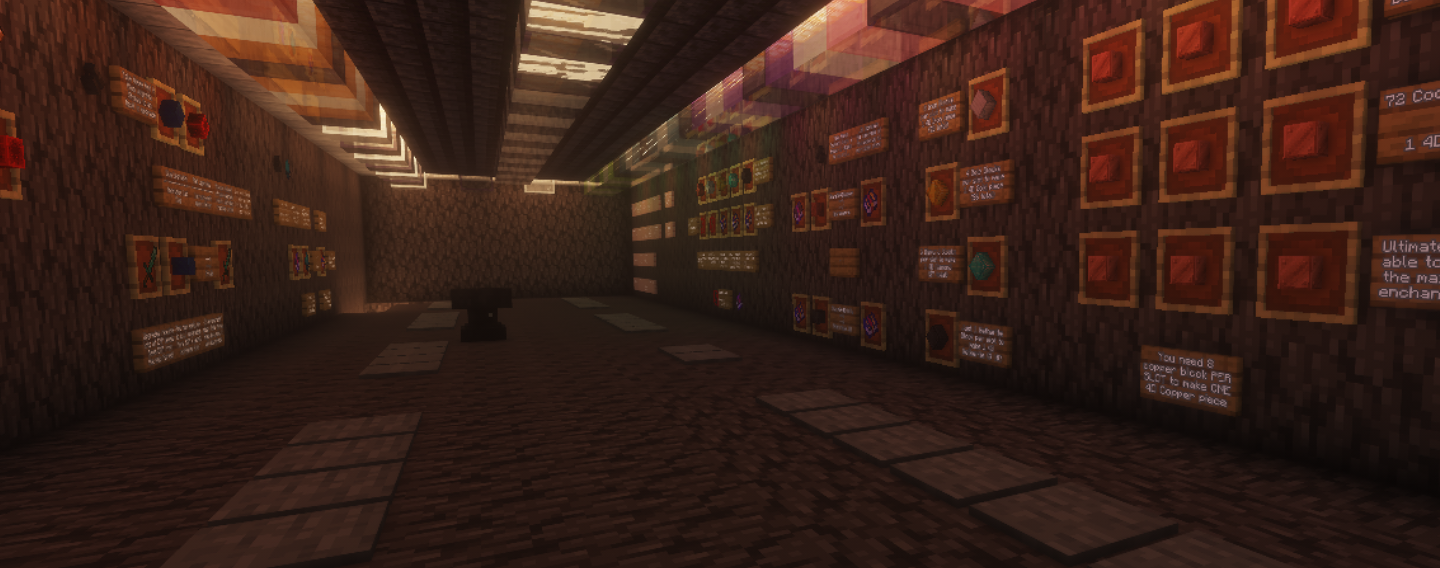
A 4D block is a stack of the same metal block in every filled slot. Copper, iron, gold, and diamond fill a 3×3. Netherite is a 2×2, so you only spend four blocks, and that recipe also fits in the inventory grid.
 888
888
888

4D copper. 8 copper blocks in each slot.
 121212
121212

4D iron. 12 iron blocks in each slot.
 444
444
444

4D gold. 4 gold blocks in each slot.
 333
333
333

4D diamond. 3 diamond blocks in each slot.


4D netherite. 1 netherite block in each slot of a 2×2. Four blocks, not nine.
items Limit Break
Limit Break pushes an enchant past its vanilla cap, one step at a time. Start with a book that already has the enchant at vanilla max. Anvil that book with the 4D block for the next step and you get a tome. Anvil the tome onto gear that already has the enchant one level lower.
 V
 VI
Make the tome. Book at the current cap, plus the 4D block for that step.
 IX
X
X
Apply it. The gear needs that enchant already, one level under the tome.
The 4D block climbs copper, iron, gold, diamond, then netherite. A long climb (five extra levels, like Sharpness) starts on 4D copper. A short one starts at the expensive end: two extra levels are 4D diamond, then 4D netherite. Each step uses one 4D block.
Making a tome costs 15 levels on copper and 40 on netherite. Applying it costs 25 levels for the first step past vanilla and 60 for the fifth. Only two enchant lines on one item can be limit-broken. On/off enchants stay vanilla: Silk Touch, Infinity, Mending, Flame, Channeling, Aqua Affinity, and the curses. Lure and Quick Charge stop two past vanilla so they do not hit the point where fishing or charging breaks.
items Defy Nature
Some enchant pairs refuse to share an item. A Defy Nature tome is the exception for one pair. Make it at an anvil with 4 hearts of the sea in the second slot (30 levels), then apply the tome to the gear (50 levels).
 4
The tome. Four hearts of the sea, 30 levels. Applying it to gear is 50 levels.
Pairs it will join:
- Mending with Infinity
- Piercing with Multishot
- Riptide with Loyalty, or Riptide with Channeling
- Protection, Fire Protection, Blast Protection, and Projectile Protection, in any mix
- Sharpness, Smite, and Bane of Arthropods with each other
Silk Touch and Fortune still will not combine.
items Red and blue upgrade stones
Stones are a crafting-table recipe, then an anvil gamble on a melee weapon. They work on diamond, gold, and netherite swords, axes, and spears, plus tridents and maces. Seven steps. The first try always lands. After that the chance is 85%, 75%, 60%, 55%, 45%, then 40%. Three fails in a row drops the weapon one step. A grindstone wipes the upgrade. The anvil asks for 10 levels the first time and 60 at the last.


Red stone. Redstone blocks around a row of raw copper blocks.


Blue stone. Same shape, with lapis blocks instead of redstone.
Red path. Crits hit harder each step. The last step can also crit without falling, a bit more often than not.
Blue path. Attack damage climbs each step. The last step also extends your reach. On a spear, that same step lets a charge start from closer, and a fast charge (an elytra dive) multiplies the bonus.
HopperTune
Per-hopper speed/volume control & filters! • /hoppertune, /ht


redstone HopperTune
Use the "wand" to easily select a hopper in the world and apply customizations to it. Globally, hoppers are sped up from vanilla. In vanilla, a hopper picks up a single item every 8 ticks (400ms), but our server speeds up hoppers to pick up 2 items every 2 ticks (100ms). Your per-hopper settings can override that until you clear them or break the block.
Aliases: /ht, /hopperspeed.
| Command | What |
|---|---|
/hoppertune | Home GUI, plus the give wand option |
/hoppertune wand | Dead bush, aka "The wand". Right-click a hopper with it; middle-click two corners for a cuboid selection area (max 64) |
/hoppertune here | Show or set the hopper you are looking at |
/hoppertune here filter | Enable a filter from the items already in it. Best to make sure nothing will drain the hopper first. |
/hoppertune here filter clear | Remove only the filter |
/hoppertune here clear | Remove overrides and filter; back to staff's defined globals |
Filter hoppers keep one item in reserved slots so sorters do not lose blocker stacks. Put items in, then enable Filter.
- Stackable: fill all 5 slots. Each slot keeps 1 item; only those types are accepted.
- Unstackable: last slot (or every slot the same item). Last slot never drains.
SignalTune
Clocks, copper columns, radios, tuned droppers • /signaltune, /st
redstone SignalTune
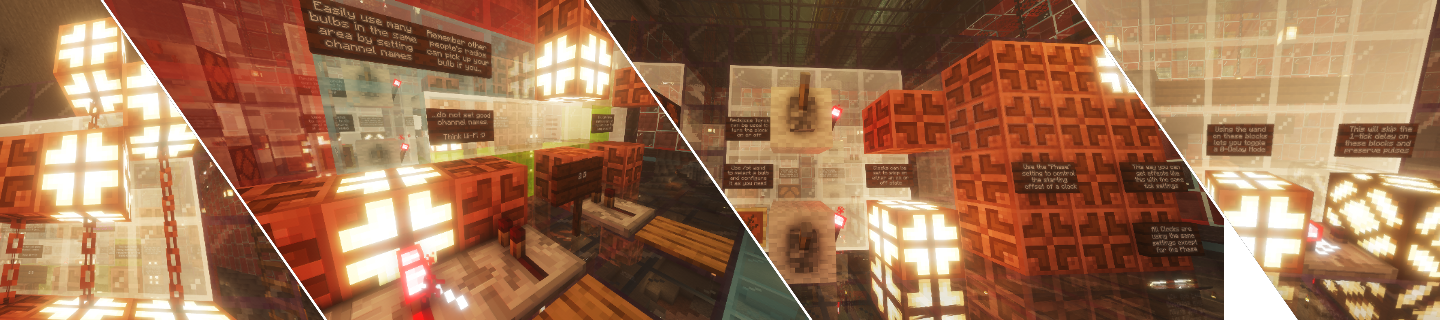
A copper bulb in vanilla is an handy on/off gate. We expand on this by adding extra features to them which can be configured using the "wand". We've also added some tweaks to droppers, dispensers, repeaters, and comparators.
When using copper blocks in your contraptions, it doesn't matter if it's fresh copper, weathered, oxidized or waxed, as long as it's a copper block then it will work.
Copper bulbs can be upgraded into: clock generators with adjustable speed and phase; wireless radios that send or receive signals (with bridges for up to 64 blocks); or vertical columns using copper chains to carry signals up or down in a single block space. In these cases, you use a comparator to read the signal from the copper bulb and forward it onto the rest of your contraptions.
Repeaters and comparators can be tuned to use 0-tick delay, which is useful for clock generators and rapidly updating redstone circuits.
Droppers and dispensers can be tuned to drop an item at the rise or the fall of the redstone signal, or BOTH! You can also set them to drop more than 1 item each time it is triggered.
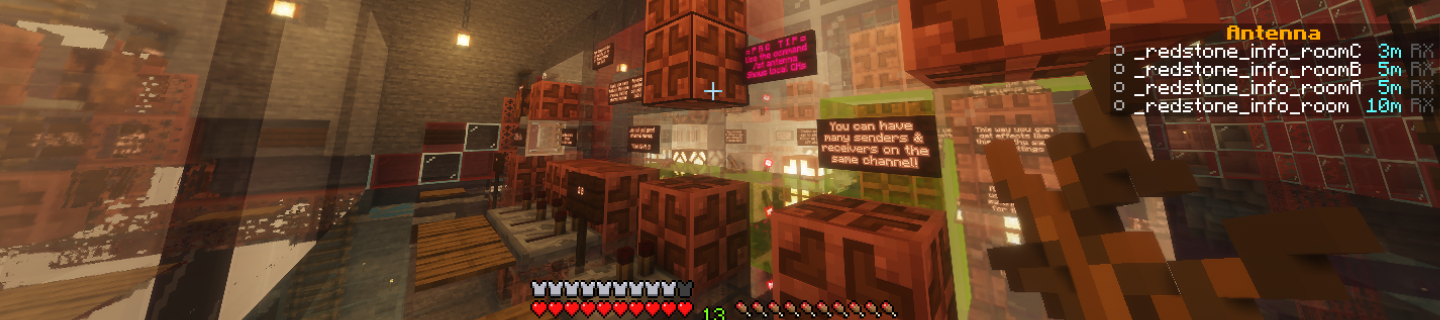
The wand only opens a GUI when used on a copper bulb, dropper, dispenser, repeater, comparator, or an already-tuned block. Hold the wand and run /signaltune antenna for a sidebar of nearby radio channels (64 blocks). In the radio editor you can click from nearby-channel options in the GUI.
Aliases: /st, /signal.
There is a demo space set up in the server showing these special features in action! /warp redstoneinfo
| Command | What |
|---|---|
/signaltune | Player home: wand, read-only radio range, device counts |
/signaltune wand | Dead bush. Right-click a valid target |
/signaltune antenna | Toggle nearby-channel sidebar (wand must be held) |
Right-click targets: copper bulb → clock / transceiver / receiver / bridger; dropper or dispenser → amount + ON / OFF / BOTH edges; repeater or comparator → optional 0-tick.
Homes, warps, spawn, & back
Travel with the tap of a few keys • /homes, /warps, /alttp
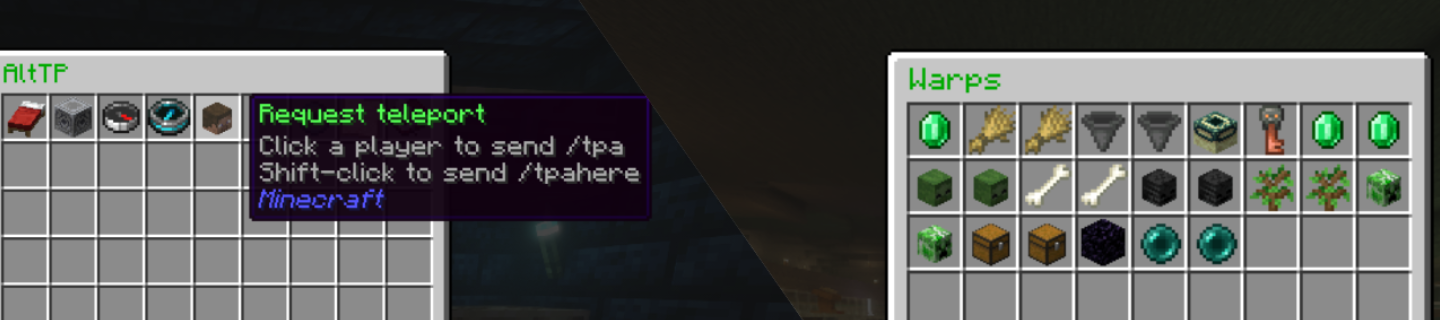
travel Homes, warps, spawn, back
You can save up to 5 homes. /homes and /warps open a GUI. /alttp (/atp) is the same family of screens.
| Command | What |
|---|---|
/sethome [name] | Save a home |
/home [name] | Go to a home |
/delhome [name] | Remove a home |
/homes | Homes GUI |
/spawn | World spawn |
/warps | List / GUI of public warps |
/warp <name> | Go to a warp |
/back | Previous teleport location |
/tpa <player> | Ask to teleport to them |
/tpahere <player> | Ask them to teleport to you |
/tpaccept || /tpdeny | Accept or refuse |
/tpacancel | Cancel your outgoing request |
Short warp aliases work in place of the full name:
animal_farm(af) — old underground animal farm, now just a chicken hatcherysorter(s) — public item vault. Take what you need and add your excess; please share & do not clean us out of somethingend— The Endremote_trials— trial dungeon; Revaulting mod lets keys work again. THESE ARE MAX LEVEL 10 MOBS. YOU MUST BE PREPARED.villager_hall(vh) — trades, including Mendingzombie_farm(zf),skeleton_farm(sf),wither_farm(wf, Nether),creeper_farm(cf)tree_farm(tf),costco(c) - New animal farm
Find item
Search nearby inventories • /finditem
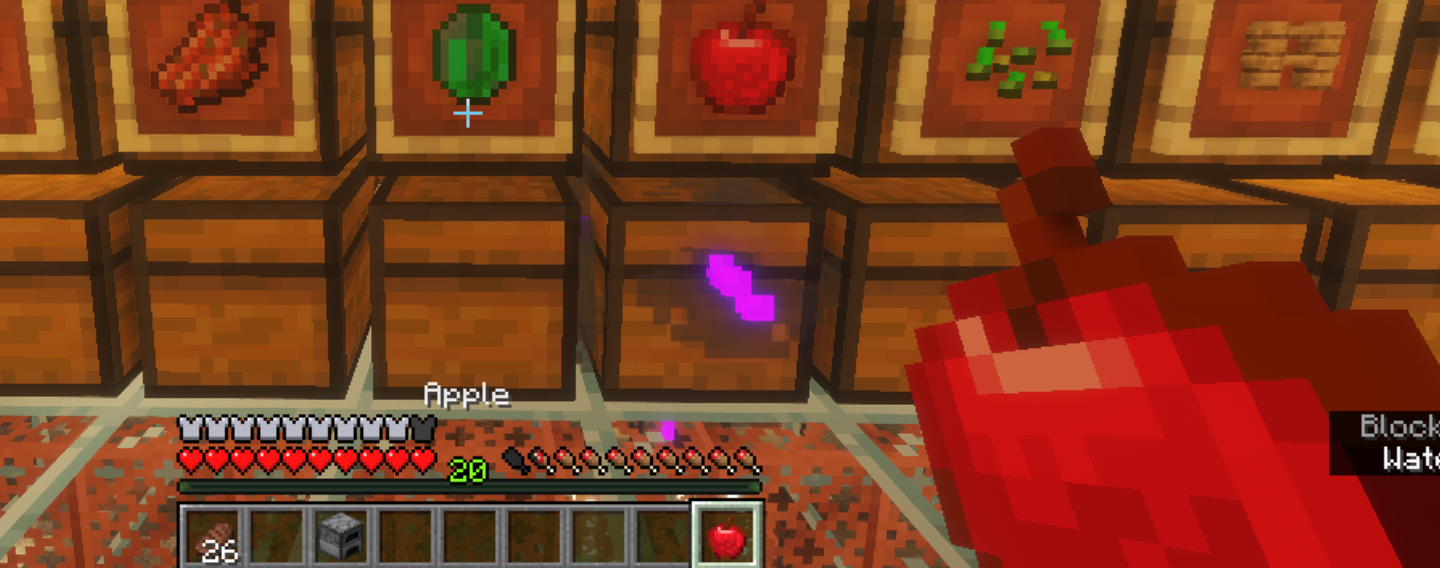
qol Find item
/finditem minecraft:ender_pearl (or any material) searches nearby chests, hoppers, and some entity inventories. Tab will autocomplete the material name, so no worries needing to type the full name.
If you already hold that item, shift-right-click it in your open inventory to search for more.
Kits
Claim GUI · newbie once · verified VIP kits • /kits

items Kits
/kit or /kits for the claim GUI. /kit <alias> claims immediately if your group is allowed and you are off cooldown.
| Alias | Who | Limits |
|---|---|---|
newbie | vouched+ | Once. Use when you first join for a small boost. |
vip | verified+ | ~20 hour cooldown |
vip_weekly | verified+ | ~6.75 day cooldown |
AFK exp farmers
Fake players with a required timer • /farmer


farms AFK exp farms
Spawn fake players so grinders keep spawning. Max 3. A farmer cannot sit at a farm without a timer. When it ends they return to idle near spawn. A soul torch marks their feet; break it to send them idle now. They show in tab as [Farmer] Name.
Aliases: /farmerbot, /fbot. /farmer with no args opens the GUI.
| Command | What |
|---|---|
/farmer connect [minutes] | Spawn at your feet (1–90 min, default 15) |
/farmer status | Connected?, position, idle pad |
/farmer tp preset <name> | Send to a preset (uses that duration) |
/farmer tp here [minutes] | Send to you |
/farmer tp <x> <y> <z> [world] [minutes] | Send to coordinates |
/farmer preset list | skeleton 30m, zombie 45m, wither 90m, creeper 90m |
/farmer disconnect [name] | All, or one by name |
Typical: /farmer connect then /farmer tp preset skeleton.
Farm commands
Chicken hatchery & bindable redstone • /cc
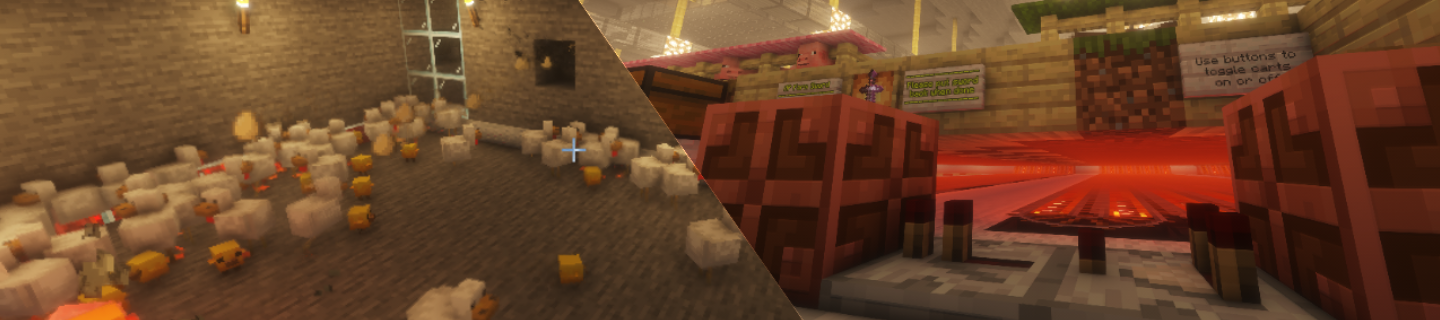
farms Chicken hatcher and clock pulses
Our server's final form for farming chickens. In the past, players have stalled the server by leaving this running, so we've made a way to bind redstone controls to custom console commands and apply timers to them. Open /cc for the GUI, click a name, or run it in chat. /cc stop <name> stops a running timer.
| Command | What |
|---|---|
/cc chicken_1min | Hatcher on 1 minute, then off |
/cc chicken_2mins | 2 minutes |
/cc chicken_5min | 5 minutes |
These commands can be ran from anywhere in any world. A great way to "warm up" a farm while you do something else.
Want to make a new timer? Ask a staff member to bind a redstone control to a command for you.
Death, tombstones, scrolls
Lifelines · soulbound · death scroll • /lifeline

death Death, tombstones, scrolls
/back does not return you to your death.
Tombstones: you start with 3 lifelines (max 7). A death can dump your inventory into a chest. You refill 1 lifeline every real day. Soulbound items stay on you. Lava / void deaths put the chest near respawn. Out of lifelines = vanilla drops.
/lifeline (or /lifelines) shows current / max and when the next one regenerates.
Death scroll (Vane): craft it to return to your last death / tombstone. Combat lock: 15 seconds after taking damage before any scroll works. 2 uses, cannot be mended.
Clickable commands in chat Help that one friend who's never used a console before
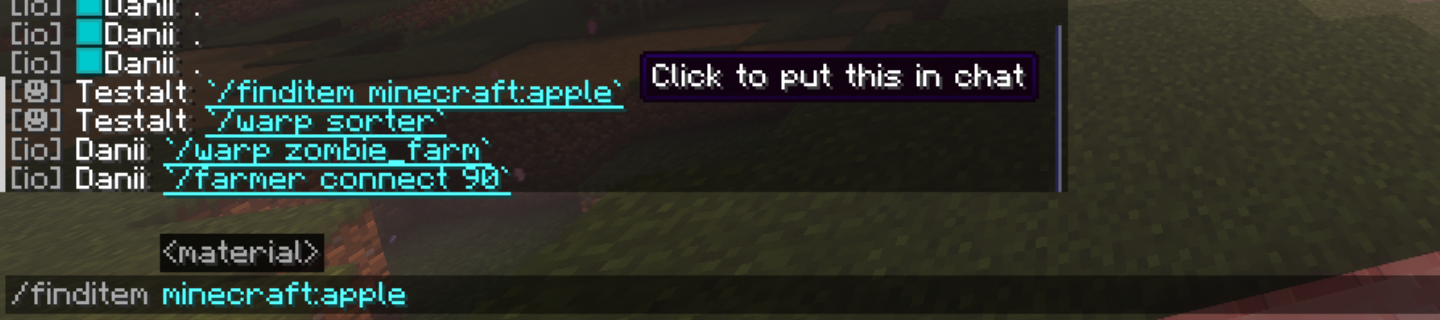
chat Clickable commands in chat
Wrap a registered command in backticks so others can click it into their chat box: `/warps` or `/cc chicken_5min`. Clicking autofills; it does not run the command for them.
Sign board
Who is around • nicknames • stats • /signboard
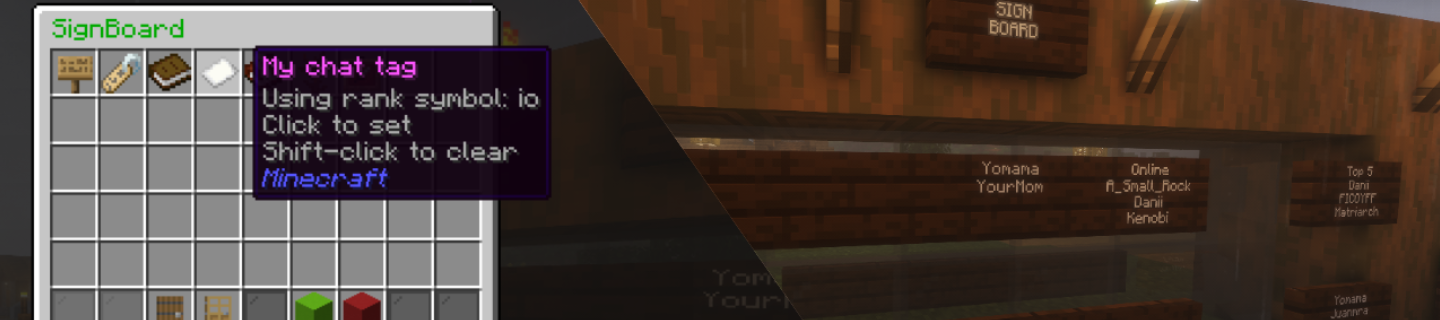
social Sign board (who’s around)
Player directory.
| Command | What |
|---|---|
/signboard | GUI: online players with session time, plus recent leavers |
/signboard board | Same board in chat |
/signboard nickname <name> | Show as IGN (nickname). Empty name clears it |
/signboard stats <player> | Lifetime / session stats (IGN or nickname) |
Nicknames do not change your Mojang login name. Verified players can set a chat tag — see Verified.
Dropped-item cleanup 45 minute cycle · diamonds, gold, emeralds kept
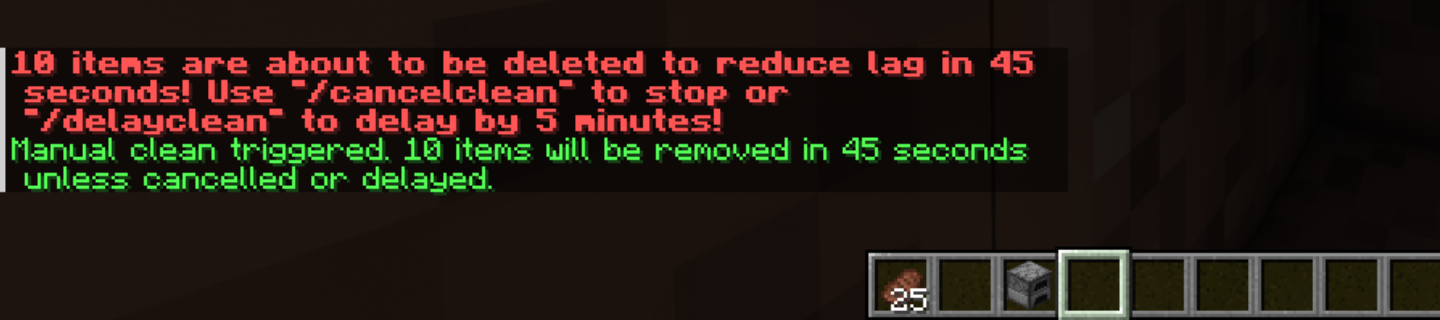
farms Dropped-item cleanup
Every 45 minutes a warning (~45 seconds), then ground items are removed. Diamonds, gold ingots, and emeralds are kept.
| Command | Who | What |
|---|---|---|
/delayclean | vouched | Push this sweep back 5 minutes |
/cancelclean | vouched | Skip this cycle |
/cleannow | verified+ | Run a clean (still uses the warning time) |
QuickBake No command · sneak-click furnaces
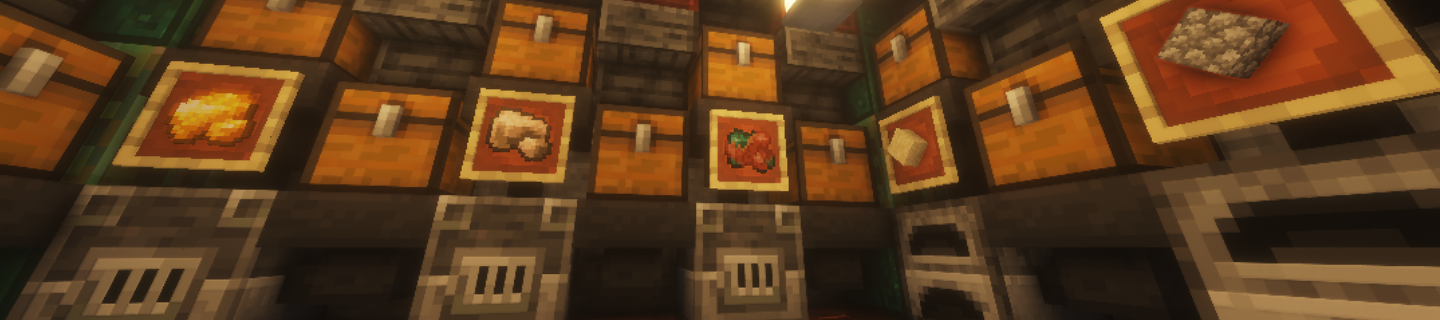
qol QuickBake
Sneak and right-click a furnace, blast furnace, or smoker. A valid item in your main hand loads the input (or fuel if it is only fuel). An empty hand takes the finished product.
This way you can bypass the need to use the GUI or manually load items into the slot if you set up your quick bar correctly with items.
TreeForce Sneak-axe natural trees to break it all in one block!
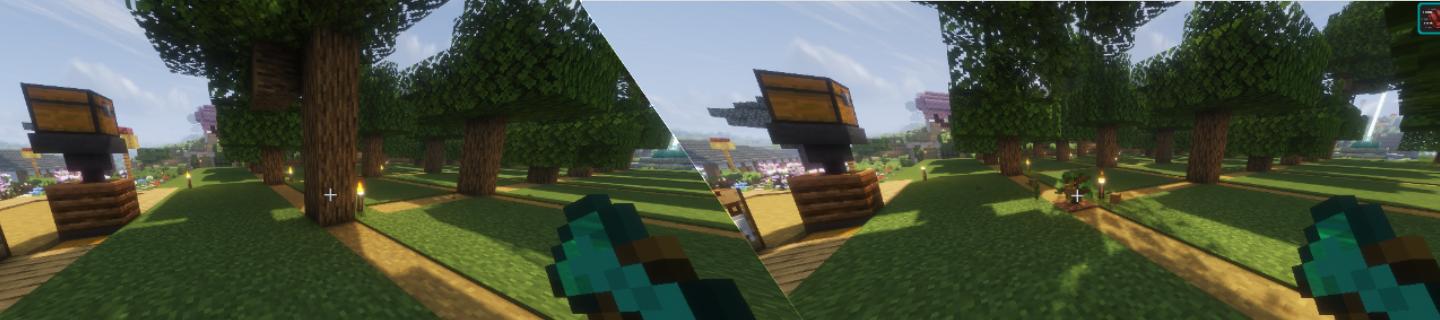
qol TreeForce
Sneak and break a natural log from a treewith an axe to fell the tree and auto-replant a sapling. Player-placed logs are skipped. Stops if the axe is about to break. Works with copper axes and nether fungus trees. Leaves will rapidly decay thanks to RHLeafDecay.
InvPeak Read-only equipment peek of other players
social InvPeak (equipment)
Empty your main hand and middle-click another player to see their armor and held items. Read-only.
Verified extras Trusted vouchers perks
verified Commands above vouched
| Command | What |
|---|---|
/vouch <player> | Promote a guest to vouched. Only people you actually know. |
/whereis <player> | Coords, world, velocity, on-ground. Check before TPA if they might be falling. |
/cleannow | Trigger the item sweep (still warns first). |
/signboard tag [text] | Set or clear your own chat tag. |
/kit vip / vip_weekly | Verified kits; see Kits. |
Verified can also build in the spawn ring.
Quality of life Mostly Vane. Full list: oddlama.github.io/vane
vanilla+ Everyday QoL
- Right-click ripe crops with an empty hand to harvest and replant.
- Double doors open together. Dirt paths give a short speed boost.
- Shears on an item frame make it invisible.
- Button next to chests sorts a small cluster (1s cooldown).
- Treasure chests warn on the first break.
- All vanilla recipes unlock on join.
- Creeper/wither explosions rebuild; endermen don’t steal blocks; lightning doesn’t start fires; zombies don’t break doors.
- Leaves decay after trees are cut (RHLeafDecay). Tools may show ToolStats lore. Trial vaults can be reused (Revaulting).
qol Damage numbers
Floating holograms and an action-bar total when you deal damage.
chat Psst
Whisper someone who is online. Use their Mojang name or their SignBoard nickname. Everything after the name is the message, so you do not need quotes.
| Command | What |
|---|---|
/psst <player> <message> | Private whisper. /tell, /whisper, and /msg do the same thing. |
Tab-complete suggests people who are online, nicknames included.
vane Custom items and enchantments
Papyrus / home / death / spawn / lodestone / unstable scrolls, XP bottles, north compass, file, trowel, sickles, reinforced elytra, slime bucket. Backpacks and pouches are off. Scrolls cannot be mended.
Enchantments include Angel, Wings, Take Off, Grappling Hook, Hell Bent, Leafchopper, Lightning, Rake, Seeding, Soulbound, Unbreakable. Ancient tomes in loot or crafted; anvil like a book.
Upstream feature tour: oddlama.github.io/vane.